
Magic Phone Cleaner
Review photos, free up space

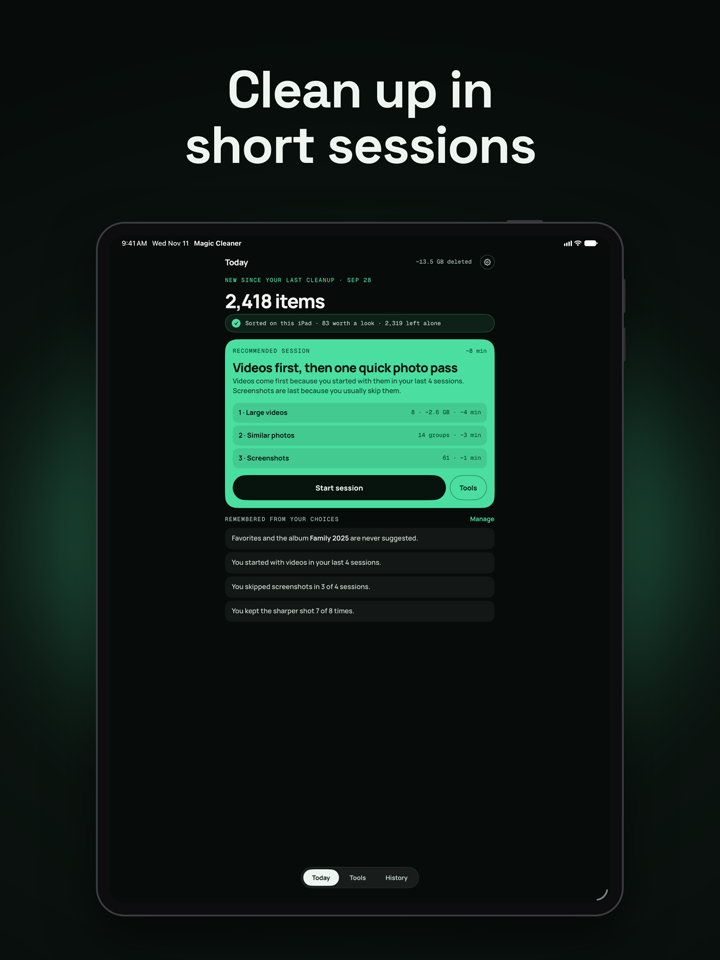
Magic Phone Cleaner is back, rebuilt. Short cleanup sessions for large videos, similar shots and old screenshots. You decide what goes. Free, no subscription.
Magic Phone Cleaner helps you clear out photos and videos you no longer need, a few minutes at a time. Version 2.0 is a complete rebuild of the app you may remember.
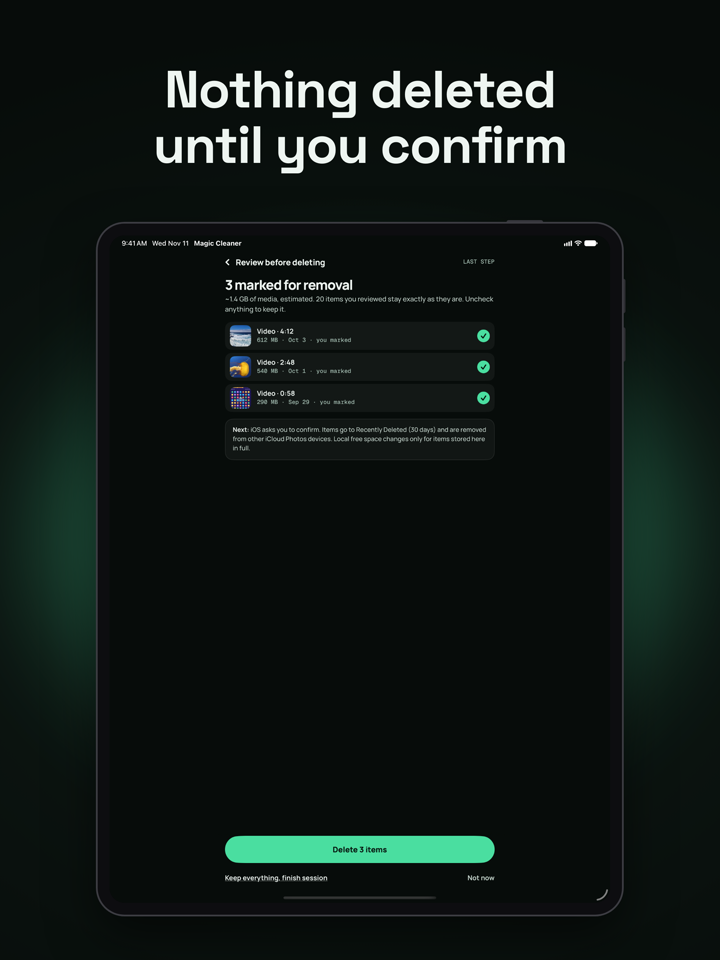
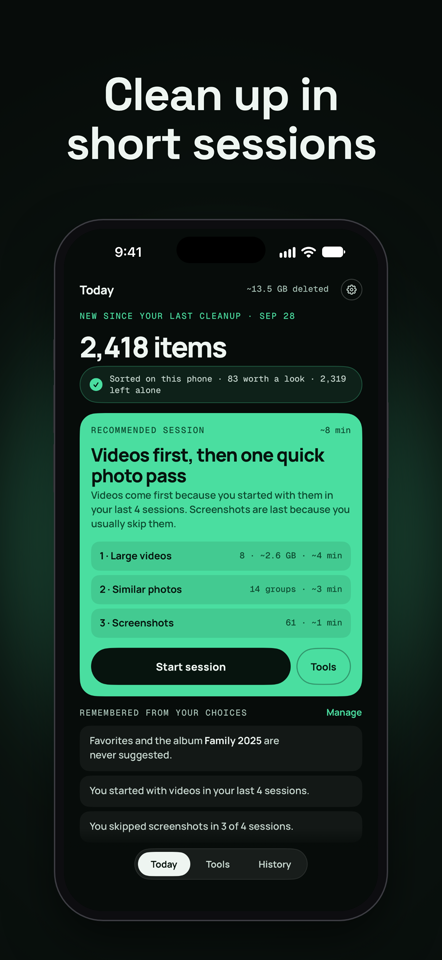
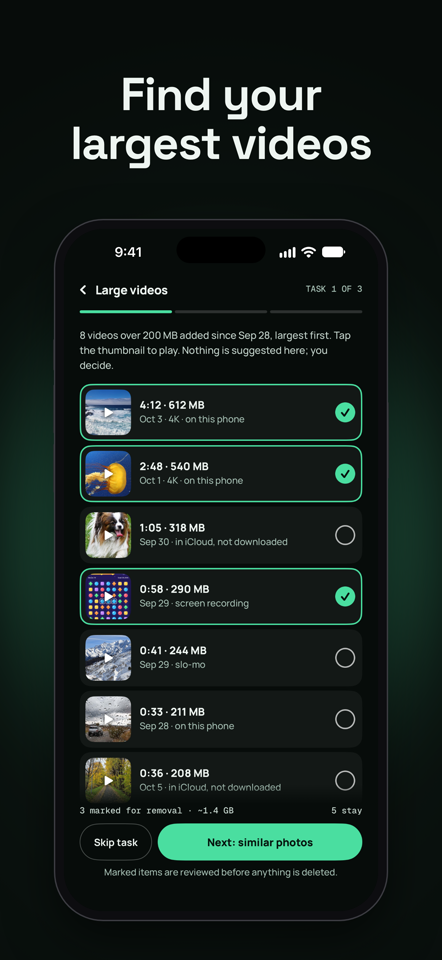
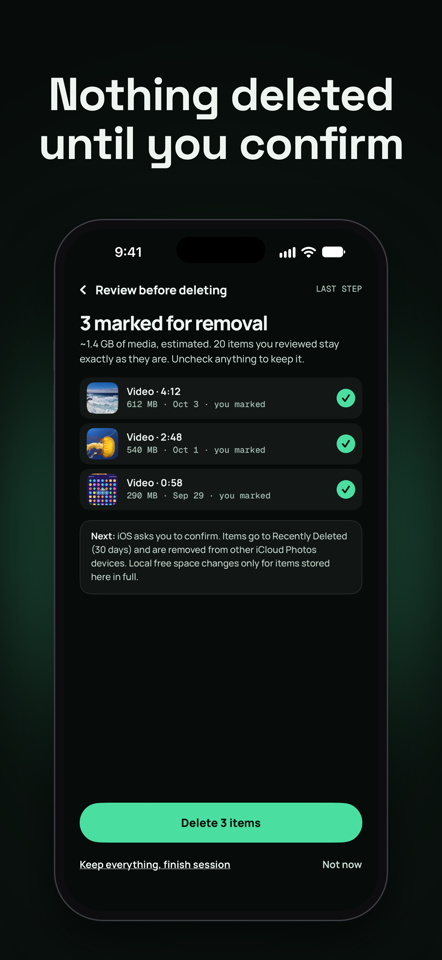
It sorts your library on your iPhone or iPad and brings you a short session: the largest videos, groups of near-identical photos, and old screenshots. You mark what you do not want, review the whole list, and confirm. Nothing is selected for you, and nothing is deleted until you have reviewed it and iOS has asked you to confirm.
SHORT SESSIONS
• A session is a few small tasks, starting with what is new since your last cleanup.
• Skip any task. Stop at any point. Your decisions are kept.
• Optional reminders, weekly, every two weeks or monthly, if you want them.
TOOLS YOU CAN OPEN ANY TIME
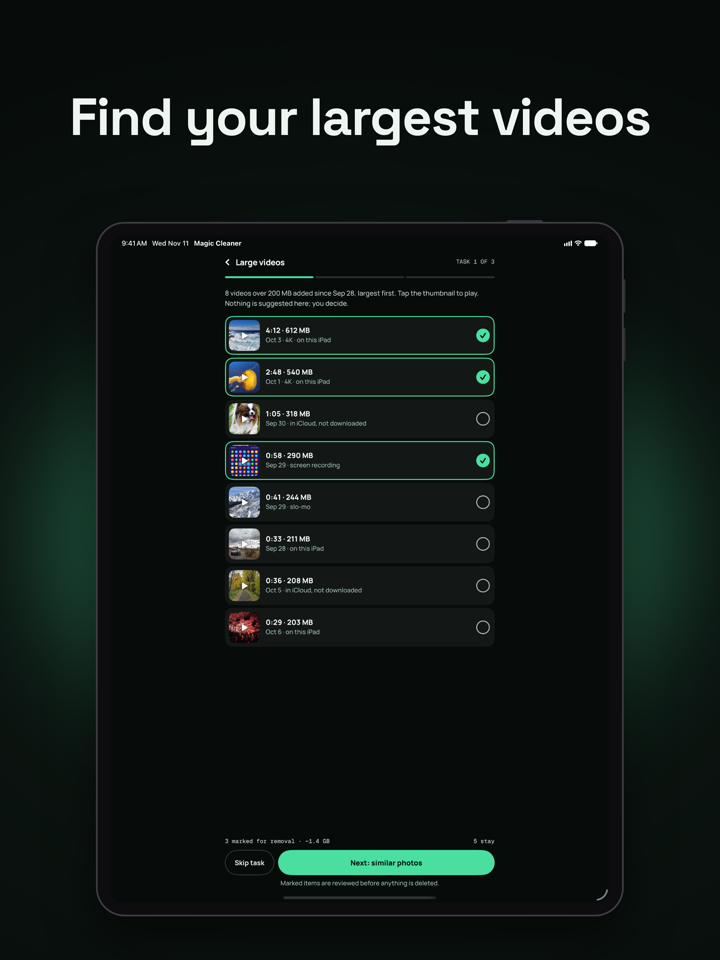
• Large videos, listed by size, with playback before you decide.
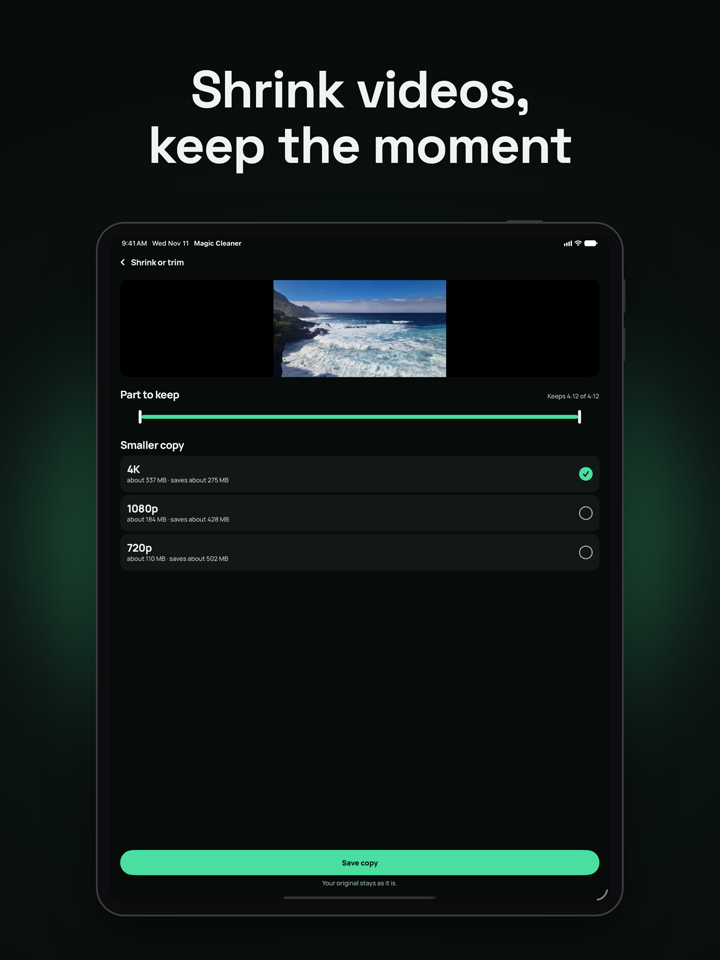
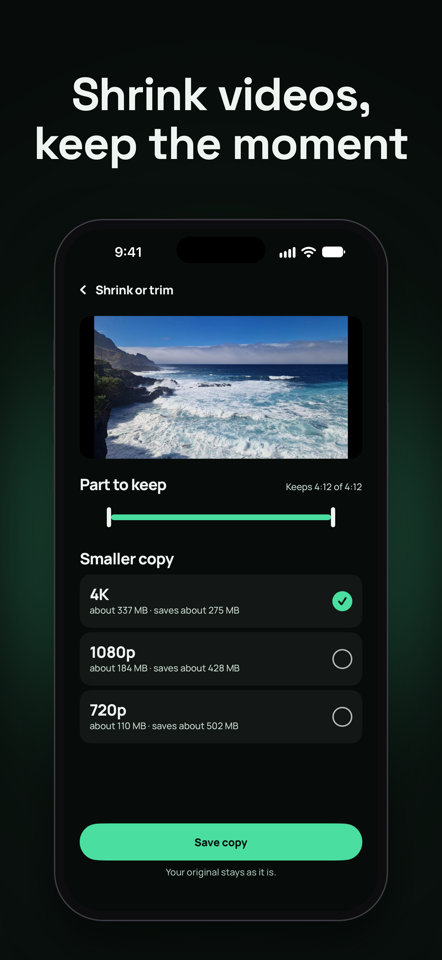
• Shrink or trim: save a smaller copy of a long video, or keep only the part you want. Your original stays until you choose to delete it.
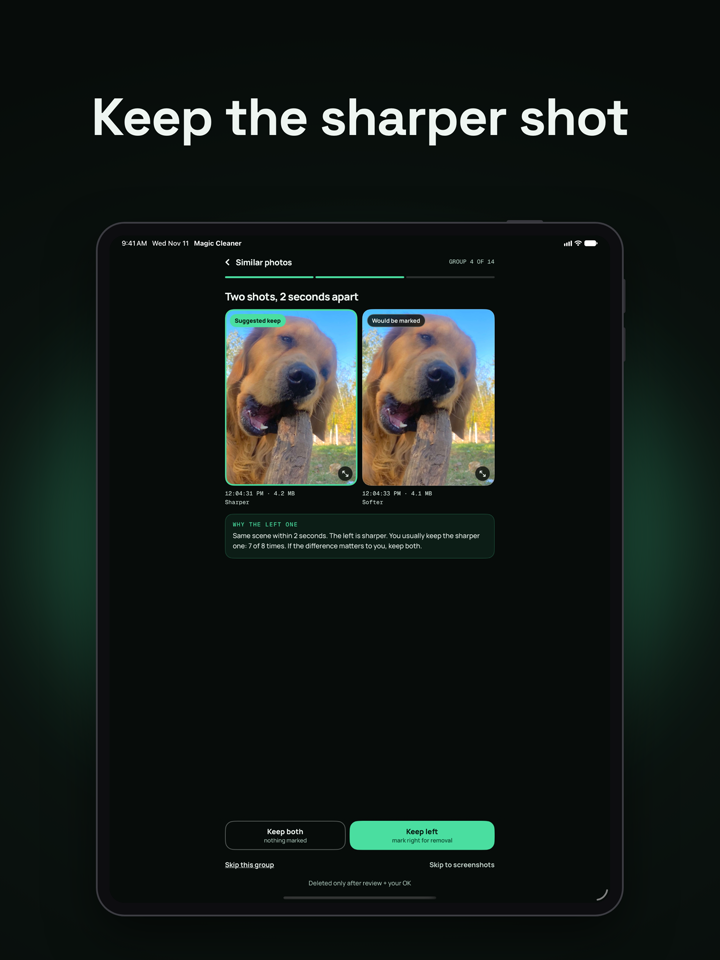
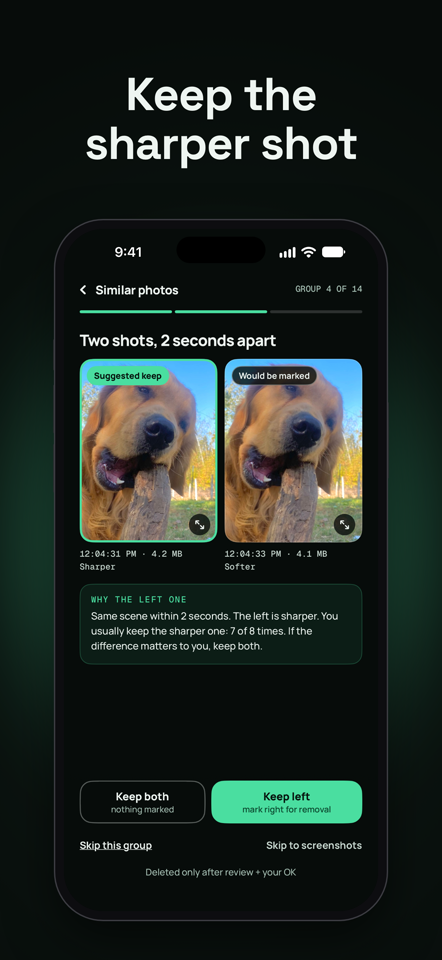
• Similar photos, compared side by side, with zoom.
• Exact duplicates.
• Screenshots, split into recent and older than 90 days.
• Blurry or dark photos.
• Everything by size: photos, videos, files in folders you choose in Files, and albums in your Music library, largest first. Music is view only, because apps cannot delete it.
• Step-by-step guides for the storage that only the Settings app can clear, such as Messages attachments and downloads.
YOU STAY IN CONTROL
• Nothing is preselected for removal.
• Favorites are protected. You can protect whole albums too.
• "Keep both" and other keep decisions are remembered, so the same photos are not offered again.
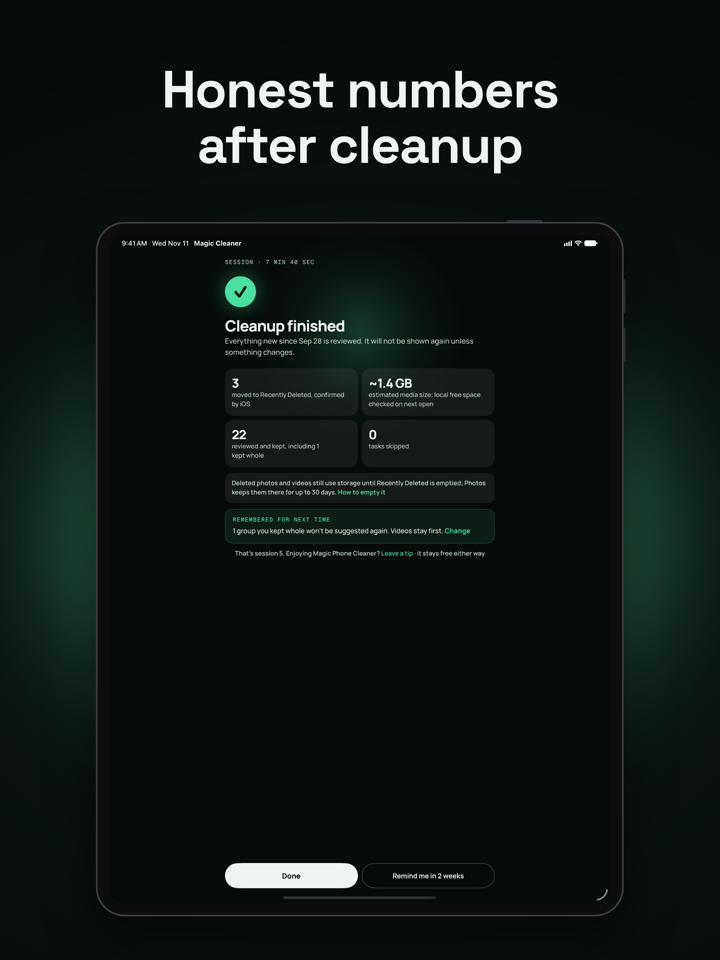
• Deleted photos and videos go to Recently Deleted in Photos, where you can recover them for 30 days.
• Files have no Recently Deleted, so Magic Phone Cleaner asks once more before deleting a file and says so plainly.
SUGGESTIONS THAT EXPLAIN THEMSELVES
In a group of similar photos, Magic Phone Cleaner may suggest which one to keep and says why, for example that one is sharper. When it has no good reason, it makes no suggestion. It adapts to the choices you make, on your device only, and you can see what it has learned, turn that off, or erase it in Settings.
HONEST NUMBERS
• Sizes marked with ~ are estimates of media size.
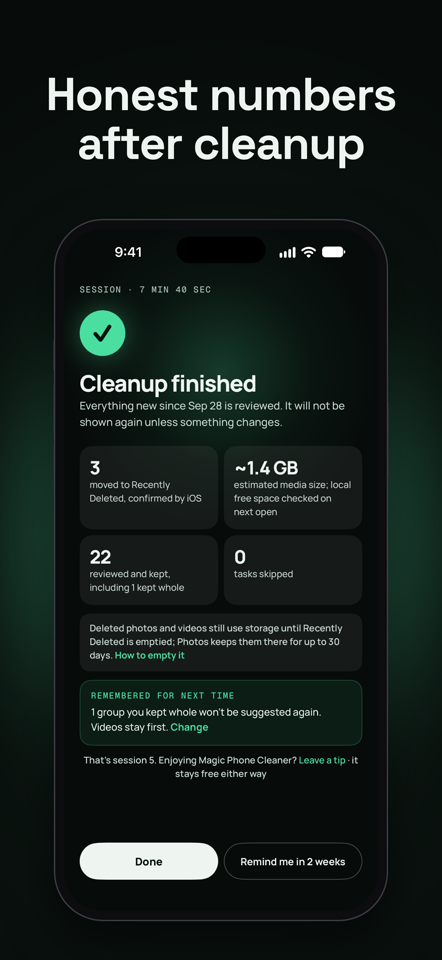
• After a cleanup, Magic Phone Cleaner reports only what iOS confirmed was deleted, and shows the measured change in free space on your device separately.
• Items stored in iCloud and not downloaded do not free space on this device, and Magic Phone Cleaner says so.
PRIVATE BY DESIGN
• Your photos, videos and files are analyzed on your iPhone or iPad and are never uploaded.
• Nothing derived from your photos is used for ads, statistics or crash reports.
• No account. No sign-in.
• Usage statistics and crash reports can each be turned off in Settings.
FREE
Magic Phone Cleaner is free to use, with no subscription and no feature limits. It shows an occasional ad after a finished session, never before a deletion and never during a comparison. A one-time purchase removes ads for good, and optional tips do the same. If you tipped in an earlier version, updating keeps ads off. On a new phone, Restore purchases checks whether the App Store still has your tip.
WHAT MAGIC PHONE CLEANER DOES NOT DO
It works only with your photo library, the folders you choose, and a read-only view of your Music library. iOS does not let apps see or change other apps' data, Messages, or system storage, and Magic Phone Cleaner does not claim to.